Structure the work
Organise WBS, Building, Elevation and Zone hierarchies so activities stay connected to the right project context.
FacadePM 0.1.5 for Windows
Organise your WBS, build schedules, review progress and keep project information structured from planning through control. FacadePM gives facade teams a practical Windows-based workspace for scheduling, visibility and project review.
Enter Account to explicitly activate an eligible 30-day trial or confirm your current entitlement. The eligible trial requires no payment card. Your account is created after your first verified sign-in. Account creation does not activate a trial or grant installer access. Access depends on your plan, seat conditions and user role.
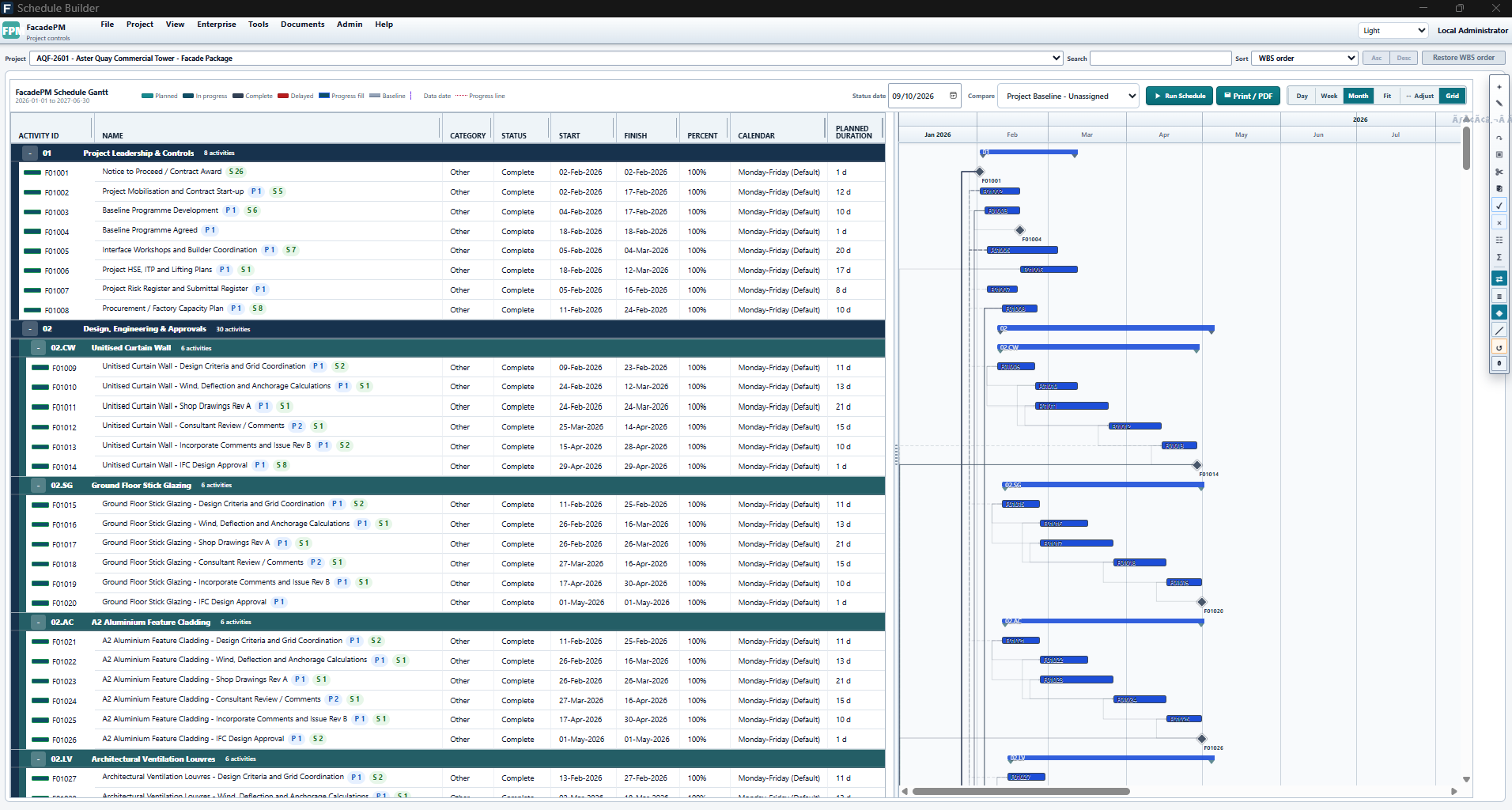
FacadePM Schedule Builder for fictional Aster Quay (AQF-2601), showing WBS, activities and Gantt with Project Baseline - Unassigned selected.
Applicable paid plans: Schedule, Schedule + Resources, Project Controls, Complete. User-role requirements apply.
View full-size Schedule Builder screenshotBuilt for facade teams
For project managers, planners and project controls teams who need to organise facade work and review the decisions behind the programme.
A local Windows workspace for project planning. FacadePM is the currently available FacadeOps software product.
Explore FacadePM use cases
Released capabilities
Organise WBS, Building, Elevation and Zone hierarchies so activities stay connected to the right project context.
Build schedules using activities, relationships, calendars and baselines, with clear separation between calculated results and saved project dates.
Track schedule progress, inspect activity status and use dashboard-style views to understand where the job stands.
Where included in your plan, review commercial progress, budget-related information and control-focused views in one place.
Inside FacadePM
FacadePM gives teams practical visibility into programme status and project review. Dashboard-style views help users inspect progress, activity status and project information, while advanced commercial controls are available in higher plans and subject to user role.
Every plan includes Dashboard-style project visibility and structured review workflows, while advanced commercial controls are available in Project Controls and Complete plans.
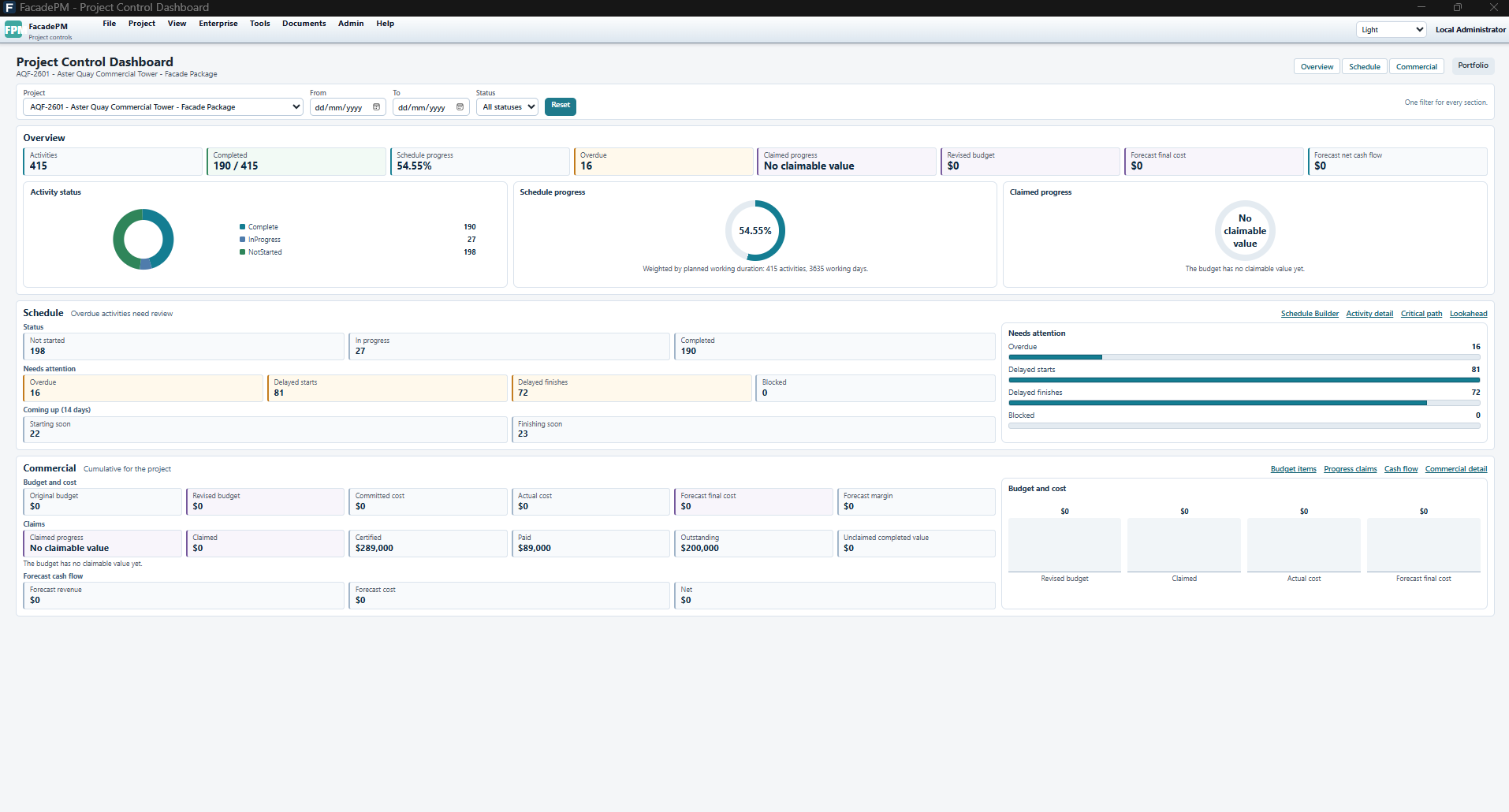
FacadePM Project Control Dashboard for fictional Aster Quay (AQF-2601): 54.55% schedule progress; commercial claimed progress shows No claimable value. Commercial views require Project Controls or Complete.
Applicable paid plans: Project Controls, Complete. User-role requirements apply.
View full-size Project Control Dashboard screenshot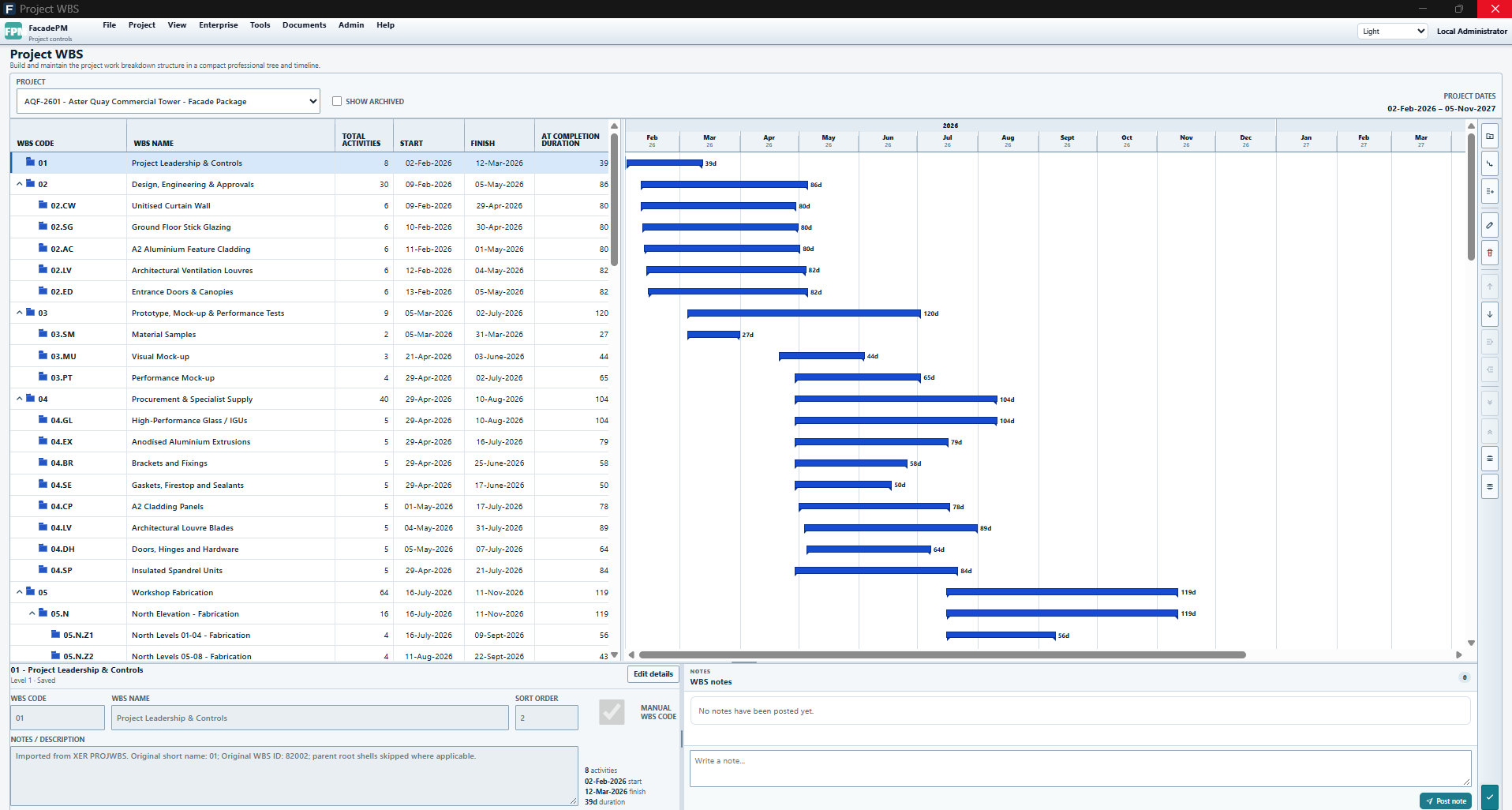
FacadePM Project WBS for fictional Aster Quay (AQF-2601), showing grouped work, activity counts, dates and a timeline.
Applicable paid plans: Schedule, Schedule + Resources, Project Controls, Complete. User-role requirements apply.
View full-size Project WBS screenshotApplication themes
Switch between light, dark and high-contrast themes to support readability, visual comfort and different working environments.
Different activity views of fictional Aster Quay illustrate the themes; they are not an identical-data comparison. Scheduling is included in all paid plans, subject to user role.
FacadePM Schedule Builder for fictional Aster Quay (AQF-2601), showing WBS, activities and Gantt with Project Baseline - Unassigned selected.
View full-size Light Schedule Builder screenshot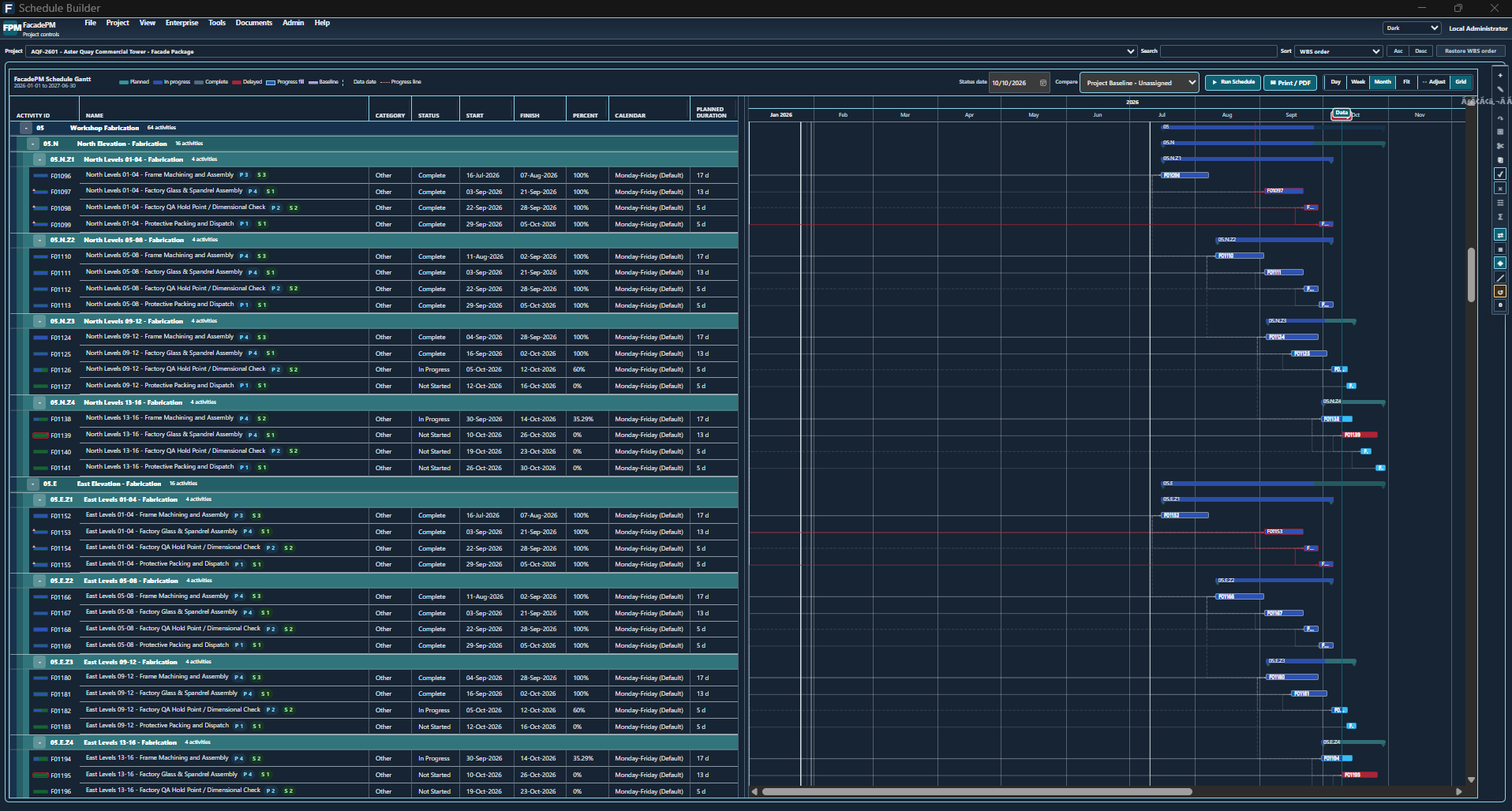
FacadePM Schedule Builder in Dark theme for fictional Aster Quay (AQF-2601), showing Workshop Fabrication activities and Gantt with Project Baseline - Unassigned selected.
View full-size Dark Schedule Builder screenshot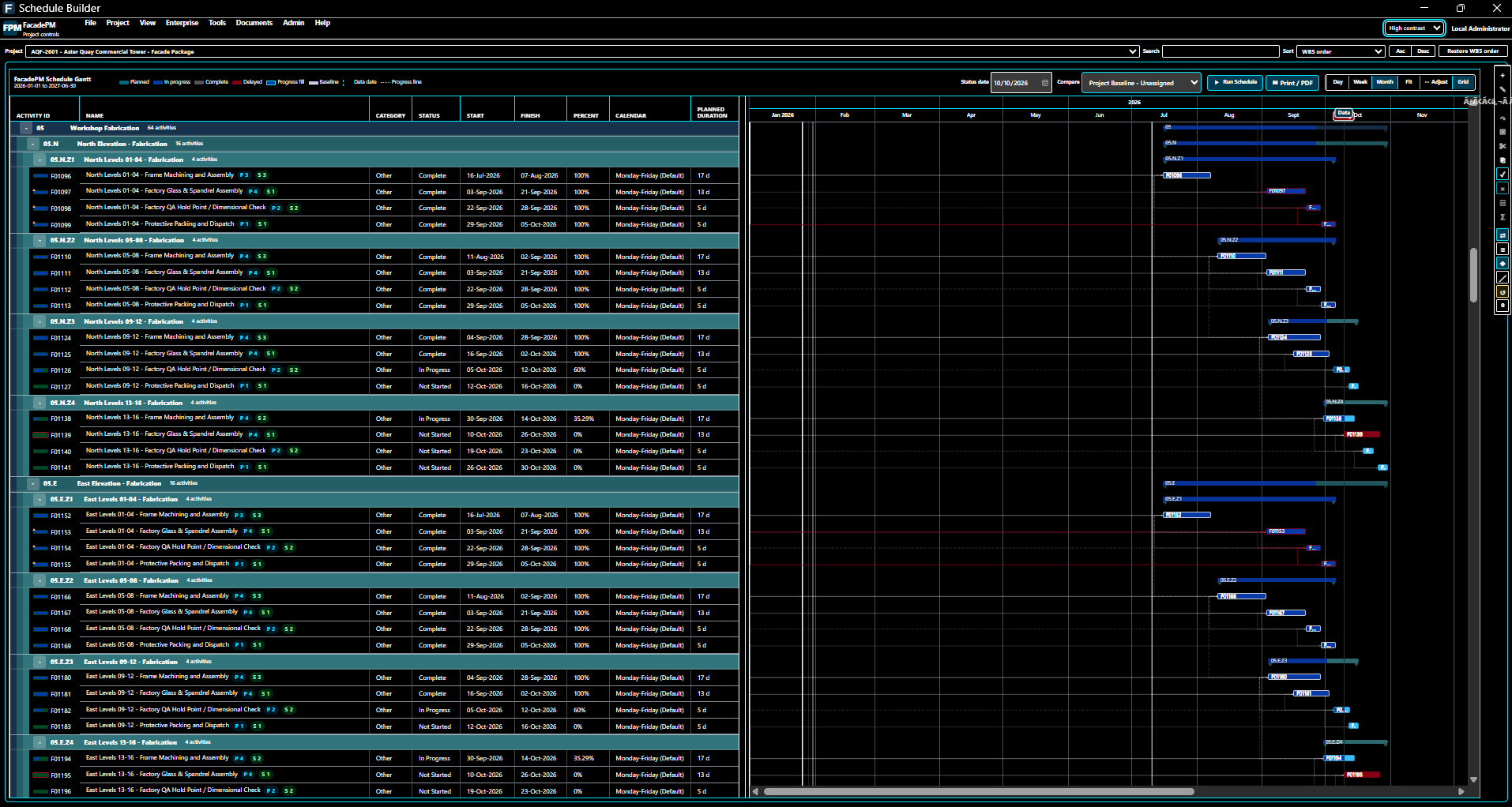
FacadePM Schedule Builder in High Contrast theme for fictional Aster Quay (AQF-2601), showing Workshop Fabrication activities and Gantt with Project Baseline - Unassigned selected.
View full-size High Contrast Schedule Builder screenshotLearn FacadePM
Explore getting-started guidance, practical tutorials, Help and release notes. Harbour is the built-in fictional sample for exercises; the Aster Quay screenshots show a different fictional demonstration project.
Read the tutorialsYour first steps
Sign in to Account, explicitly activate an eligible 30-day trial or confirm an applicable paid entitlement, then follow the protected download and acknowledgement flow. The eligible trial includes all features and requires no payment card.
How to get FacadePMExplore FacadePM
Start an eligible trial through Account when you are ready. Choose the capability that fits your work.